Jamba
- 4.4
- Rating
- 1.00M
- Installs
- Free
- Price

 Analysis by App-foxy
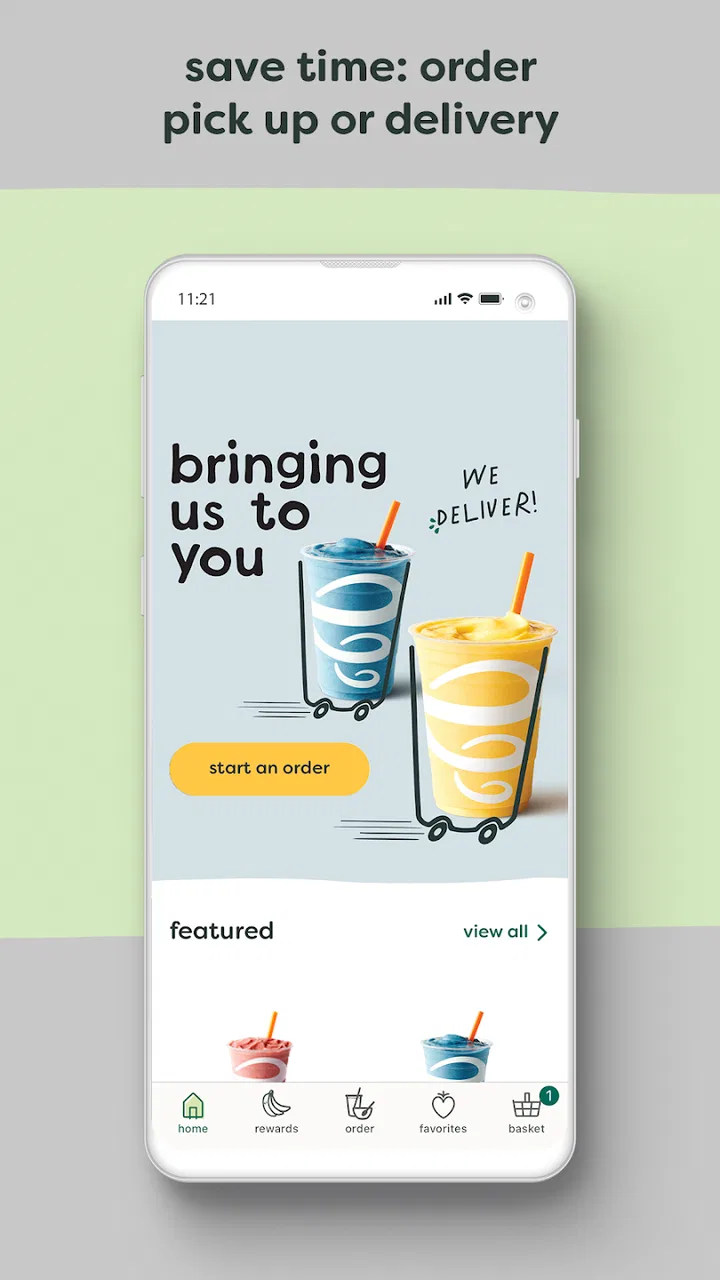
I tried the Jamba app as a practical companion for ordering smoothies and finding nearby Jamba locations, and my overall impression is straightforward: it is most useful when I already know I want Jamba and want to make the visit quicker. It is a free Food & Drink app from Jamba, available for Everyone, with ordering, payment, location finding, and rewards gathered in one place.
That focus is both its strength and its limitation. This is not a general restaurant-discovery tool, a nutrition planner, or a broad delivery marketplace. It is a brand-specific app designed to reduce the small bits of friction around a Jamba purchase. If you regularly stop for a smoothie, bowl, or another menu item, that narrow purpose can be genuinely convenient. If you only visit occasionally or prefer comparing several restaurants at once, the usual map or delivery apps may remain more useful.
How the current Jamba experience feels
The first thing I noticed is that the app is built around an obvious routine: choose a location, browse what is available there, place an order, and use the rewards side of the account over time. That makes it easier to think of the app as a digital shortcut rather than a separate destination. I would open it before leaving, select the store that made sense for my route, and prepare the order while still deciding whether I wanted to pick it up.
You May Also Like

 Blood Strike: 2.5 Anniversary
Blood Strike’s Loadouts Turn Every Drop Into a Tactical Gamble
A close look at Blood Strike’s custom loadouts: how fast access to signature weapons reshapes its battle royale rhythm, rewards preparation, and narrows the gap between fights.

 Pandora - Music & Podcasts
Pandora’s Music Is Easy to Start, but Harder to Recover
Pandora’s strength is its low-effort path from a seed to a station. Its weak spot is how much confidence it asks you to place in connection, setup, and quiet recovery.

 8 Ball Pool
 Is Built on Rivalries, Rematches, and Routine
A close look at the rivalries, rematches, shared routines, and unanswered safety questions that turn a quick pool match into a persistent mobile community.

 Samsung Music
’s Quiet Strength Is Playing What You Already Own
Its reach comes less from spectacle than from dependable access to a personal library. That simplicity is both the app’s strongest retention engine and its ceiling.

 AccuWeather: Weather Radar
AccuWeather Review: A Quick, Clear Forecast for Everyday Decisions
For everyday plans, the best forecast is the one you can understand quickly. AccuWeather makes rain timing, radar, and local conditions easy to act on, with a few trade-offs.

 Hill Climb Racing
Why Hill Climb Racing Still Turns Crashes Into One More Run
A tiny car, a bumpy hill and one more upgrade: Hill Climb Racing keeps resurfacing because its simple chaos makes every near-miss feel personal.
More From Our News Desk
View All News


The location feature matters more than it may seem. Jamba visits are often spontaneous, so knowing which shop is convenient can be more useful than spending time browsing a large list of restaurants. I found the app best suited to situations where I was already near a shopping area, heading out for a break, or trying to coordinate a quick stop with another errand.
Ordering ahead is the centerpiece. Instead of joining the queue and making decisions at the counter, I could work through the menu before arriving. That is especially helpful when I am ordering for more than one person, because I can check each item calmly rather than trying to remember everyone’s preferences while people are waiting behind me.
Payment inside the app also makes the process feel more complete. Once the order is prepared digitally, the visit becomes more about collecting it than repeating the entire transaction. For a regular customer, that small change can add up: fewer decisions at the counter, less time standing in line, and a clearer record of what was selected before the order is submitted.
The rewards element gives the app a reason to stay installed between visits. I do not think rewards alone make the app essential for an occasional customer, but they make more sense for someone who already buys from Jamba often. The useful question is not whether the app has rewards, but whether your normal visits are frequent enough for tracking them to feel worthwhile.
A realistic everyday use case
Imagine leaving work with a short break before your next appointment. You want something from Jamba, but you do not want to spend that break waiting while deciding what to order. I would use the app to locate the branch along my route, review the menu, place the order, and pay before walking over. That workflow is more valuable than any individual screen because it moves the slowest part of the visit earlier, when I have more time and less pressure.
It can also help with shared orders. If a friend wants a different smoothie or bowl, the app gives me a place to assemble the choices before reaching the store. I would still check the selected location carefully, especially if several branches are close together. An order placed for the wrong shop is not a convenience, so location confirmation should be treated as a deliberate step rather than something to tap through quickly.
For parents, commuters, and people fitting food into a tight schedule, this kind of preparation is the app’s clearest practical advantage. It is less compelling for someone who is already standing inside an empty store and expects to order immediately.
What has changed through the current version
The app was released on November 5, 2014, and its current version is 4.23. That history suggests an established product rather than a newly launched experiment. In my view, the important evolution is not a dramatic change in what the app is meant to do, but the continued refinement of a familiar brand workflow: location discovery, advance ordering, payment, and rewards.
I would separate that confirmed product identity from expectations about future updates. A version number by itself does not prove that every screen has been redesigned or that a particular feature has recently arrived. What it does tell me is that the app is still maintained as a current Jamba experience rather than being left as an old, untouched download.
That distinction matters when deciding whether to install it. I would expect the app to be most valuable for its core tasks, not assume that a newer version automatically means a completely different ordering system. The current release is best judged by how reliably it supports the everyday journey from finding a shop to collecting an order.
The scale of adoption also gives some context. Jamba has passed one million installs, and the app holds a 4.3 average from around 38,000 ratings. Those figures make it easier to see that the app is not only aimed at a tiny group of power users. At the same time, popularity does not remove the need to check whether the local store you use fits the ordering workflow you want.
How existing users benefit
For someone who already has the app, the strongest benefit is consistency. Instead of searching for a store, deciding how to pay, and remembering how rewards work on every visit, the app puts those steps in one familiar place. That reduces mental effort, particularly for repeat orders.
I would recommend setting up the order before arriving, but not treating the app as a substitute for checking the final details. The most useful habit is to pause at the review stage and confirm the selected location, the items, and the pickup plan. This is a small trade-off: the app saves time overall, but only if I spend a moment verifying the order before committing it.
Rewards can also influence how I choose to pay. If I am already going to buy from Jamba, using the app gives the visit a better chance of contributing to the account’s reward progress than relying on memory later. That makes the app particularly suitable for loyal customers who do not want to handle a separate rewards card or remember another manual step.
There is a useful difference between convenience and savings here. The app can make ordering smoother, but I would not install it solely on the assumption that every visit will cost less. Its confirmed value is the combination of ordering, payment, location support, and rewards—not a guarantee that the cheapest option will always be found inside the app.
Where it stands against other ways to order
Compared with walking up to the counter, the Jamba app gives me more time to make choices and can reduce waiting. The counter still wins when I need to ask a staff member a question, change my mind at the last moment, or place an unusual request that is easier to explain face to face.
Compared with a general delivery service, the app is more focused on the Jamba relationship. A delivery marketplace may be better when I want to compare several restaurants, combine items from different places, or have food brought to a specific address. Jamba’s own app is the better fit when I care about selecting a Jamba location, ordering ahead for pickup, and keeping the visit connected to Jamba rewards.
Compared with a map app, it offers a more direct path from discovering a location to placing an order. A map is still better for comparing travel times, checking nearby businesses, or planning a route that includes several stops. I see the two tools as complementary rather than interchangeable: use the map for the wider journey and the Jamba app for the brand-specific transaction.
That comparison reveals an important trade-off. The narrower the task, the more efficient the dedicated app can feel. The broader the task, the more likely a general-purpose alternative will win.
Small workflow tips that make a difference
My first tip is to choose the location before spending too much time customizing an order. The store you select is not a minor detail; it determines where the visit happens. Starting with the branch makes the rest of the process more intentional and reduces the chance of preparing an order for a less convenient shop.
My second tip is to use advance ordering when the decision itself is the time-consuming part. If I already know what I want and the store is quiet, the benefit may be modest. If I am ordering for several people, deciding during a short break, or approaching a busy shopping area, preparing early is where the app earns its place.
My third tip is to treat rewards as part of the payment routine, not as an afterthought. If I frequently visit Jamba, I would make the app my normal ordering path so the account and the purchase stay connected. If I only go once in a long while, I would avoid adding extra steps just for the possibility of future convenience.
A fourth, less obvious point is to keep a backup plan for changes. Advance ordering is excellent when my route and timing are stable, but it is less comfortable when plans are uncertain. I would not place an order too early if I might be delayed, redirected, or unsure which location I will reach. The app removes waiting from the store visit, but it cannot remove uncertainty from the rest of the day.
Limitations that should shape your decision
The biggest limitation is the app’s narrow scope. It is made for Jamba, so it cannot replace a broader food app when I am undecided about what to eat. Someone who wants restaurant discovery, side-by-side prices, or a single account for many brands may find a general marketplace more practical.
Advance ordering also requires a little discipline. A rushed tap can lead to the wrong store, the wrong item, or an order that no longer matches the timing of the visit. I consider that manageable, but it means the app is not completely effortless. The convenience comes from preparing carefully, not from skipping the review step.
There is also a social limitation. When I need advice from staff, want to discuss an ingredient, or have a request that does not fit neatly into the digital menu, ordering directly may be better. The app is strongest when the order is clear and routine; it is weaker when conversation is part of the service I need.
People who rarely visit Jamba should think about the cost of app clutter as well. The download is free, and its content rating is Everyone, but “free” does not automatically mean necessary. If my visits are infrequent, a normal counter order may be simpler than maintaining another account and another ordering habit.
Who should use it and who should skip it
I would recommend the app to regular Jamba customers, commuters who pass a Jamba location, families placing shared orders, and anyone who values pickup preparation more than restaurant comparison. It is also a sensible choice for people who want their Jamba purchases and rewards handled in one place.
I would be more cautious about recommending it to tourists, occasional visitors, or people who usually decide what to eat only after comparing several nearby restaurants. For them, a map or multi-restaurant ordering service may provide more useful flexibility. I would also suggest ordering at the counter when the request is complicated or when the customer wants a conversation before choosing.
The developer, Jamba, has kept the app centered on the brand rather than trying to turn it into a general food platform. I see that as a positive when the fit is right. A focused tool can be faster than a crowded one, but only when its focus matches the way I buy food.
What I would watch in future updates
For future versions, I would pay attention to how smoothly the core steps connect: finding the right location, selecting an order, paying, and receiving rewards. Those are the promises that matter most here. A flashy addition would be less important to me than clearer confirmation, dependable store selection, and a checkout process that makes mistakes difficult.
I would also watch whether the experience remains equally useful for simple solo orders and larger shared purchases. The app already makes the most sense when it saves time, so improvements that reduce uncertainty around pickup would have a direct effect on everyday use.
Because the app has been around since 2014 and now sits at version 4.23, I would expect evolution to be measured in refinements rather than a complete change of identity. That is a reasonable direction for an established brand app. Existing users benefit when familiar tasks become clearer, while new users need a first experience that explains the workflow without making a basic smoothie order feel complicated.
My final take
After using it, I see the Jamba app as a useful specialist tool, not an essential food app for everyone. Its best qualities are practical: I can find a Jamba location, prepare an order before arriving, pay through the same workflow, and keep rewards connected to repeat visits.
The app is worth installing when Jamba is already part of my routine. It can turn a rushed stop into a more predictable one, especially when I order for several people or need to fit pickup into a busy schedule. I would still confirm the location and order details every time, because convenience is only helpful when the preparation is accurate.
If I want broad restaurant choice, delivery comparisons, or personal assistance with an unusual request, I would choose another method. But for a customer who knows the brand, likes ordering ahead, and visits often enough to care about rewards, this free Food & Drink app does its focused job well. With its Everyone rating and a current version that reflects ongoing maintenance, Jamba is a sensible download for repeat customers who value a quicker, more organized visit.
FAQs for Jamba
01What is Jamba, and what does it offer?
Jamba is a versatile app designed to streamline your daily routines by offering task management, scheduling, and productivity tools. It provides features like customizable to-do lists, reminders, and integration with calendar apps. Jamba aims to help users efficiently manage their time and tasks all in one place.
02Is Jamba available for both Android and iOS devices?
Yes, Jamba is available for download on both Android and iOS platforms. Users can find it on the Google Play Store for Android devices and the Apple App Store for iOS devices. The app is optimized to function smoothly on a wide range of smartphones and tablets.
03Does Jamba require a subscription or in-app purchases?
Jamba offers both free and premium versions. The free version includes basic features, while the premium version, which requires a subscription, unlocks advanced features such as enhanced customization options, additional integrations, and priority support. Users can choose the plan that best suits their needs.
04How does Jamba ensure user data security?
Jamba prioritizes user data security by implementing robust encryption methods and secure data storage practices. The app complies with global data protection regulations, ensuring users' personal information remains confidential and secure. Regular updates are provided to maintain high security standards.
05Can Jamba integrate with other apps and tools?
Yes, Jamba is designed to integrate seamlessly with various third-party applications and tools. It supports integration with popular calendar apps, cloud storage services, and productivity tools, allowing users to sync their data and enhance their workflow across different platforms.
Pros
- User-friendly interface with intuitive navigation.
- Wide variety of music and genres available.
- Offline mode for uninterrupted listening.
- High-quality audio streaming.
- Personalized playlists and recommendations.
Cons
- Limited free version features.
- Occasional app crashes reported.
- Some ads in the free version.
- Requires a stable internet connection.
- No lyrics feature available.

Jamba
Gallery